A 10-Minute Tour of Analytical Views in Dimensions.ai
Department of Mathematics, University of Dayton
January 23, 2026
Plan
This short demo is meant to:
- give you a sense of what is possible
- help you decide whether Dimensions.ai is useful for your work
What is Dimensions.ai
Dimensions.ai is a research intelligence platform that helps you:
🔍 Search publications (free), datasets (free), grants, patents, and clinical trials together
📈 See trends across time, topics, and disciplines
🌐 Explore networks of researchers, institutions, and funding
🤖 Use AI summaries to quickly understand research landscapes
Think beyond finding papers -
think understanding the research ecosystem.
Not a replacement for Google Scholar. A complement when you want context, patterns, and strategy.
Demo Time: https://www.dimensions.ai/
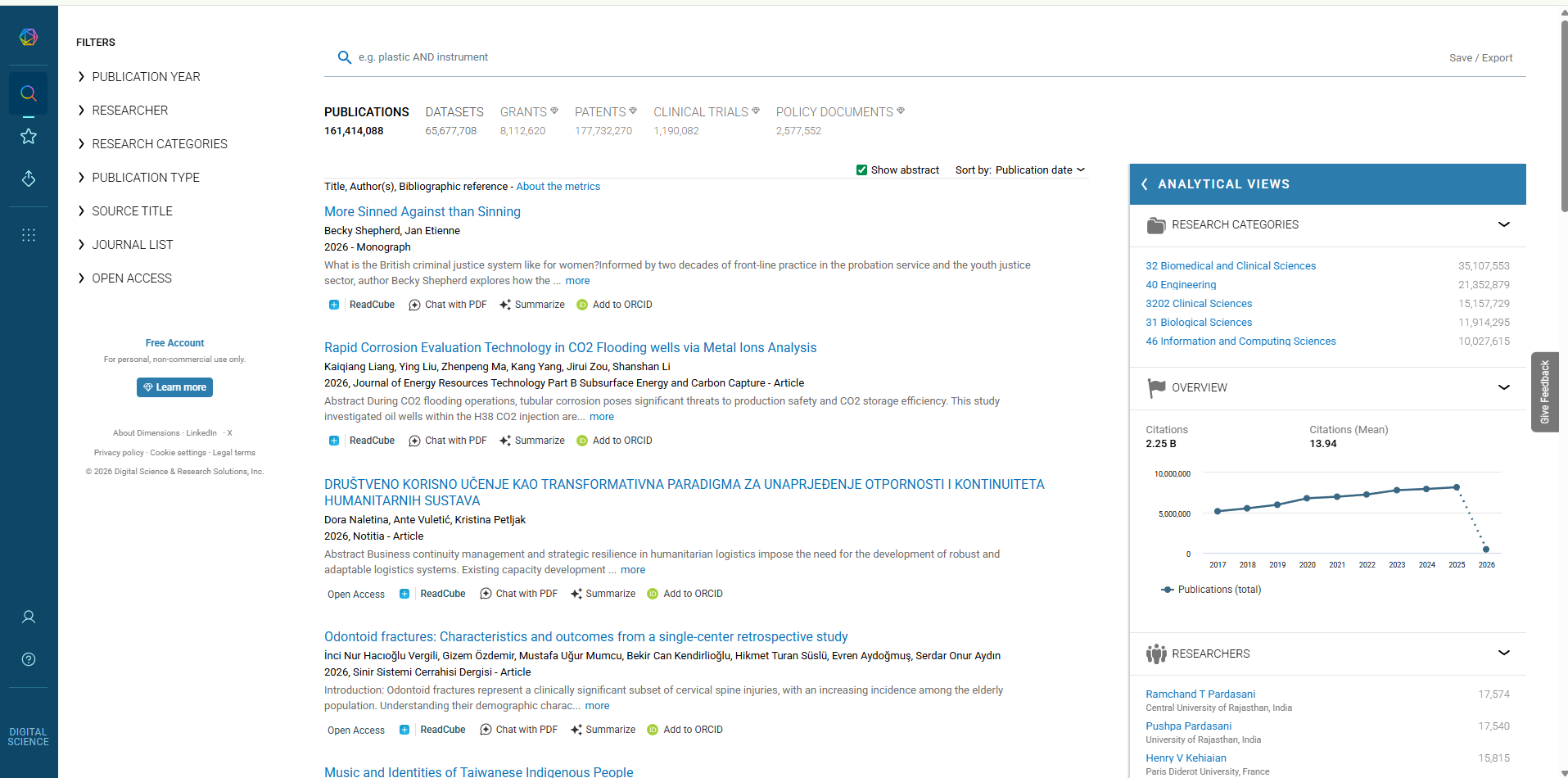
Interface of Dimensions.ai
Dimensions.ai: Take-Home Messages
What you saw today
Start from a research topic, not individual papers
Use Analytical Views to understand trends and structure
Narrow down to focused, relevant literature efficiently
Beyond discovery
Altmetric: see how research is discussed beyond academia
Author network: visualize collaboration and research identity
AI Acknowledgment: This presentation was prepared with the assistance of AI-based tools for drafting, editing, and formatting support. All content and interpretations are the author’s own.
Appendix: Publish and Embed a Co-author Network (Google Drive + VOSviewer Online)
This appendix provides step-by-step instructions for sharing an interactive co-author network on a personal webpage. The workflow uses a VOSviewer JSON file (e.g., coauthor_network.json) hosted on Google Drive and visualized via VOSviewer Online.
What you need
- A VOSviewer JSON file downloaded from Dimensions.ai (e.g.,
VOSviewer-network.json) - A Google Drive account
- A personal webpage (department site, GitHub Pages, WordPress, etc.)
Part 1 - Upload the JSON file to Google Drive
- Upload
VOSviewer-network.jsonto Google Drive. - Right-click the file → Share.
- Under General access, select Anyone with the link (not Restricted).
- Set permission to Viewer.
- Copy the share link.
Note: If the access is not set to “Anyone with the link,” VOSviewer Online will not be able to load the JSON file.
Part 2 - Convert the Google Drive share link into a direct-access link
A typical Google Drive share link looks like this:
https://drive.google.com/file/d/FILE_ID/view?usp=sharing
Step 1: Extract the FILE_ID
The FILE_ID is the substring between /d/ and /view.
Step 2: Create the direct-access link
Use the following format:
https://drive.google.com/uc?id=FILE_ID
Quick test: Paste the direct-access link into a browser.
- If it downloads or displays the JSON content, it is accessible.
- If you see a permissions error, revisit the sharing settings in Part 1.
Part 3 - Create a VOSviewer Online link for your network
Use the direct-access link (from Part 2) as the json parameter for VOSviewer Online:
https://app.vosviewer.com/?json=https://drive.google.com/uc?id=FILE_ID
Quick test: Open the link in a browser to confirm the interactive map loads.
Part 4 - Add the network to your personal website
There are two common approaches:
Option A (Recommended fallback): Add a hyperlink (most reliable)
This option works on virtually any website platform:
<p>
  <a href="https://app.vosviewer.com/?json=https://drive.google.com/uc?id=FILE_ID"
     target="_blank" rel="noopener">
    View my co-author network (interactive)
  </a>
</p>
Option B (Best-looking): Embed using an iframe
Embedding displays the interactive map directly on your webpage:
<iframe
  src="https://app.vosviewer.com/?json=https://drive.google.com/uc?id=FILE_ID"
  width="100%"
  height="650"
  style="border:0;"
  loading="lazy">
</iframe>
Compatibility note: Some website builders or institutional CMS platforms restrict iframes.
If the embedded view does not load, use Option A (hyperlink), which is the most robust alternative.
Troubleshooting (common issues)
It opens in VOSviewer Online, but the iframe is blank:
Your website platform may block external iframes. Use Option A (hyperlink).Others cannot access the network / permissions error:
Confirm the Drive file is shared as Anyone with the link and permission is Viewer.I updated the JSON file and the link stopped working:
If you uploaded a new file, theFILE_IDchanged. Update your links accordingly.
If you replaced/updated the same file (sameFILE_ID), links usually remain valid.
AI Demo Day | University of Dayton | Dayton, OH